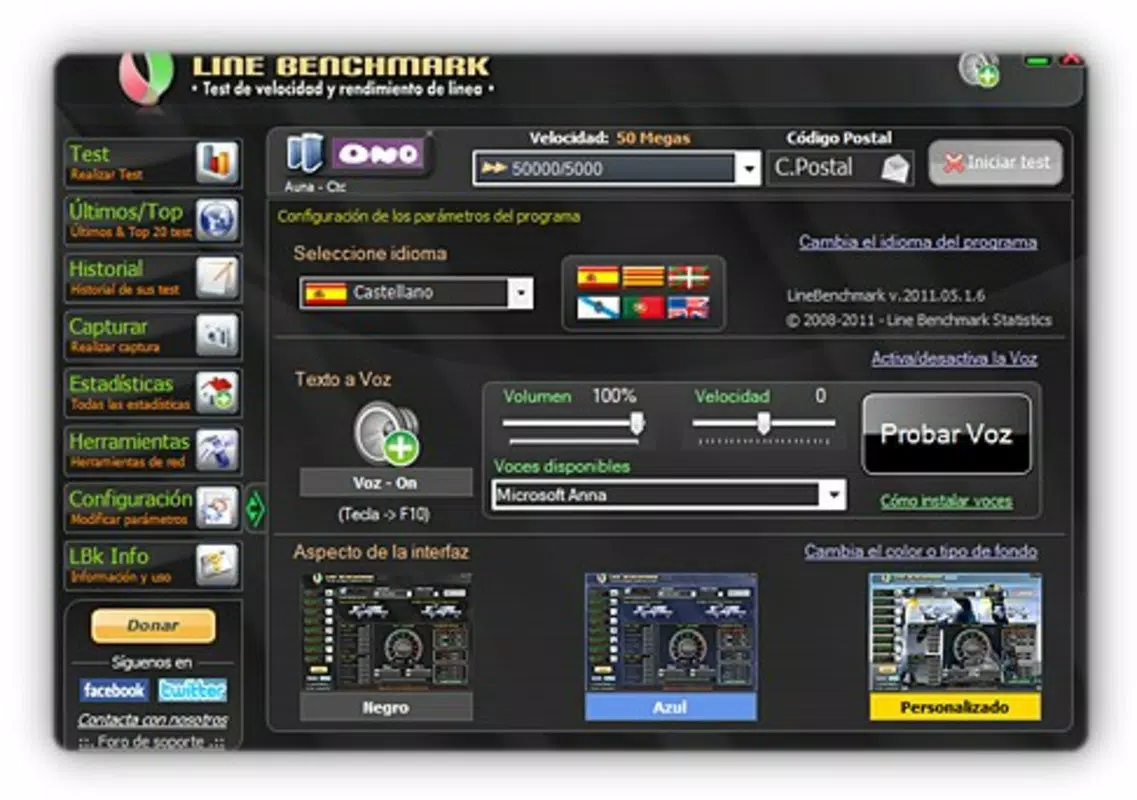

Download Line Benchmark – internet speed test, connection speed, ADSL test, broadband speed, 3G test, network performance, internet benchmark, speed check, network diagnostics, connectivity test
Overview
Line Benchmark is a lightweight mobile application designed to help users evaluate the performance of their internet connections, including ADSL, Cable, and 3G networks. The app serves as a straightforward tool for measuring real-time network metrics such as download and upload speeds, ping, and route information. By enabling users to run a speed test in under five minutes, it offers a quick and efficient way to assess connectivity quality without requiring technical expertise or lengthy setup procedures.
Target users include individuals seeking to understand their current internet performance, especially those troubleshooting slow connections or comparing service providers. The app also appeals to users who value transparency and data sharing, as it allows contributors to submit their speed results along with their postcode, contributing to a global dataset on network performance. This collective data helps build a broader picture of internet connectivity across regions, enhancing the relevance of benchmarking results.
Although the developer did not provide additional technical details, the app’s long-standing presence since its release on February 1, 2011, suggests reliability and continued relevance in the productivity space. Its minimal file size of 2.1 MB and free pricing model further emphasize accessibility and low barrier to entry. In the mobile app ecosystem, Line Benchmark occupies a niche role as a no-install, lightweight utility for network diagnostics, fulfilling a specific need in the productivity category.
Key Features & Functionality
- Quick Testing: The app enables users to run a full network speed test in less than five minutes. This rapid assessment is ideal for users who need immediate feedback on their connection quality without investing significant time.
- User-Contributed Data: By entering their speed results and postcode, users help populate a global database of internet performance metrics. This collaborative approach enhances the accuracy and geographic relevance of the benchmarking data.
- Comprehensive Results: After testing, the app displays detailed metrics including download speed, upload speed, ping latency, and network route information. These insights allow users to diagnose potential bottlenecks or inefficiencies in their connection.
- Easy to Use: Line Benchmark does not require installation, making it accessible to users across all technical skill levels. Its simple interface ensures that even non-technical users can perform tests with minimal effort.
- Competitive Ranking: Users can view how their results compare with others globally, with the potential to rank within the Top 50. This feature adds an element of engagement and context to individual performance metrics.
For example, a user experiencing buffering during video calls can run the test to verify if their upload speed meets required thresholds. Similarly, someone considering switching ISPs may use historical results to compare performance across providers. The app’s focus on real-world testing and immediate feedback makes it a practical tool for everyday network assessment.
Interface, UX & Performance
The app features a clean, minimalist interface focused on functionality over visual flair. Navigation is straightforward, with a single primary action—initiating the speed test—available from the home screen. The layout is optimized for readability, displaying test results in a clear, tabular format that includes key metrics like download speed, upload speed, ping, and route.
Although the developer did not list formal performance metrics, the app’s lightweight design and minimal file size suggest efficient resource usage. It is likely to operate smoothly on a wide range of Android devices, including older models with limited processing power and memory. The lack of installation requirements implies minimal system impact, reducing the risk of conflicts with other apps or system processes.
Responsiveness appears to be consistent, with results delivered within the advertised five-minute window. Stability is likely maintained through a streamlined codebase, though no official reports on crashes or freezes were provided. Users can expect a consistent experience across different screen sizes and device categories, as the interface does not rely on advanced graphics or animations.
Platform Compatibility & Technical Requirements
Line Benchmark is available exclusively on the Android platform. The current version is 1.0.0, with a file size of 2.1 MB, indicating a highly optimized build. The app is designed to be lightweight and efficient, suitable for deployment on devices with modest hardware specifications.
The developer did not specify minimum OS requirements or compatibility details beyond the platform. As such, users should verify device compatibility through official channels or app stores. While the app has been available since 2011, its continued functionality may depend on updates to Android’s underlying network APIs. No information was provided regarding support for newer Android versions or future development plans.
Pros and Cons
Pros
- Free to download and use with no in-app purchases
- Lightweight design with minimal storage footprint (2.1 MB)
- Quick test completion time—under five minutes
- No installation required, enhancing accessibility
- Contributes to global network performance statistics
- Provides detailed results including ping, route, and upload/download speeds
Cons
- Developer did not provide specific OS version requirements
- No official update history or changelog available
- Limited visual design and interface customization
- Platform availability restricted to Android only
- Compatibility with newer Android versions is unconfirmed
FAQ
Is Line Benchmark safe to use?
Yes, the app is free and does not require installation, which reduces the risk of malware or unauthorized access. It operates within standard Android permissions for network access and data transmission.
Can I use Line Benchmark on iOS devices?
Currently, the app is only available on Android. There is no official version for iOS devices.
Does Line Benchmark require an internet connection?
Yes, a stable internet connection is required to run the speed test and submit results. The app uses your current connection to measure performance.
How often can I run a speed test?
There is no stated limit on the number of tests. Users can run the test as frequently as needed to monitor their connection performance over time.
Is my postcode shared with third parties?
The app collects postcodes to contribute to global statistics. The developer did not specify data-sharing policies, but the information is used solely for benchmarking purposes.
Final Thoughts
Line Benchmark remains a reliable, no-frills tool for assessing internet connection quality on Android devices. Its simplicity, speed, and community-driven data model make it a valuable utility for users seeking immediate insights into their network performance. While it lacks modern design elements and may not support the latest Android versions, its core functionality is intact and effective.
Individuals who need a quick, secure way to test their ADSL, Cable, or 3G connection—without installing software—will find the app particularly useful. Whether troubleshooting connectivity issues or comparing service providers, Line Benchmark delivers essential metrics with minimal effort.
For those in search of a lightweight, free, and functional internet speed test tool, Line Benchmark continues to hold its ground. Download Line Benchmark now


